
So, you’ve got a Next.js project and you want to use Redux Toolkit to manage your application’s state? Great choice! Redux Toolkit makes it super easy to set up and use Redux, especially for larger projects. But you have no idea How to setup redux tookit in Next js. We’ll break down the steps in a way that’s easy to follow, even if you’re new to Redux. Let’s dive in!
First we need to setup Next JS, for installation the command is:
npx create-next-app@latest
this command will setup everything automatically, and is also recommended by Next JS official documentation. Now, before installation it will ask you some questions:
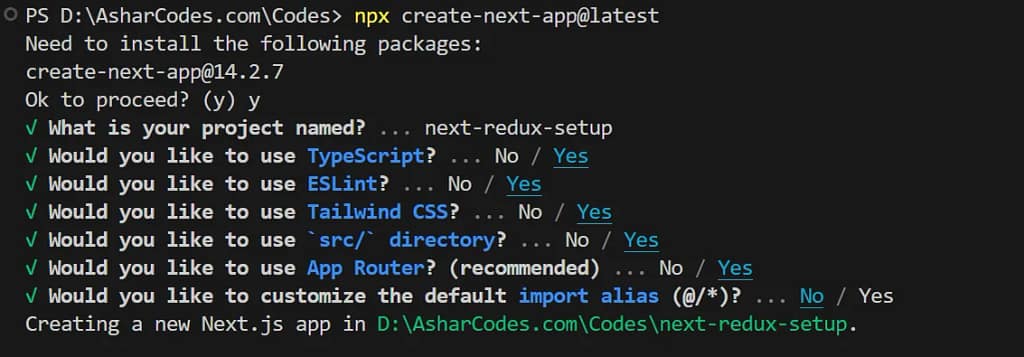
Use arrow keys to navigation between options and press Enter to confirm. You can copy the same setup as in the shown in the image.
Now, after successful setup of Next.js project, you need to run following command to add Redux Toolkit in it:
npm install @reduxjs/toolkit react-redux
After redux installation, we need to set it up in the project:
- Now open up the
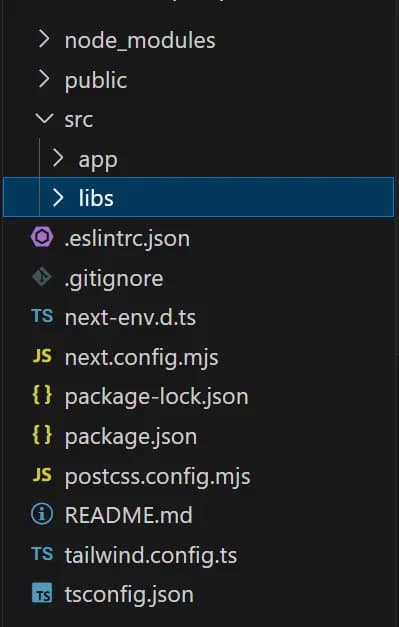
‘src’folder in the project, and make a new folder named‘libs’in it. - Now inside
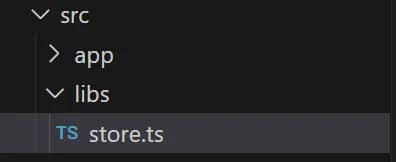
‘libs’folder make a new file:store.tsand put the following code in it:
import { configureStore } from '@reduxjs/toolkit'

export const makeStore = () => {
return configureStore({
reducer: {},
})
}

// Infer the type of makeStore
export type AppStore = ReturnType<typeof makeStore>
// Infer the `RootState` and `AppDispatch` types from the store itself
export type RootState = ReturnType<AppStore['getState']>
export type AppDispatch = AppStore['dispatch']
- Inside the
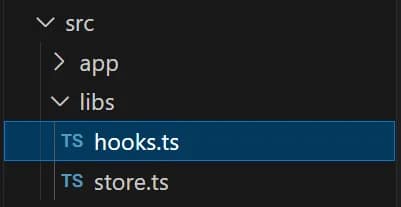
‘libs’folder make a new file:hooks.tsKeep following code in there:
import {
  useDispatch,
  useSelector,
  useStore,
  TypedUseSelectorHook,
} from "react-redux";
import type { RootState, AppDispatch, AppStore } from "./store";

// Use throughout your app instead of plain `useDispatch` and `useSelector`
export const useAppDispatch = () => useDispatch<AppDispatch>();
export const useAppSelector: TypedUseSelectorHook<RootState> = useSelector;
export const useAppStore = () => useStore<AppStore>();
- Now inside
‘src/app’folder, make a component:StoreProvider.tsxPut following code in this component:
'use client'
import { useRef } from 'react'
import { Provider } from 'react-redux'
import { makeStore, AppStore } from '../libs/store'
import React from 'react'

export default function StoreProvider({
  children,
}: {
  children: React.ReactNode
}) {
  const storeRef = useRef<AppStore>()
  if (!storeRef.current) {
    // Create the store instance the first time this renders
    storeRef.current = makeStore()
  }

  return <Provider store={storeRef.current}>{children}</Provider>
}
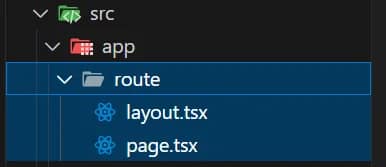
Now you can use redux toolkit at https://localhost:3000 , now using it on any route is much easier, simply make a new route(new folder) in src/app (let route/folder is the new route).
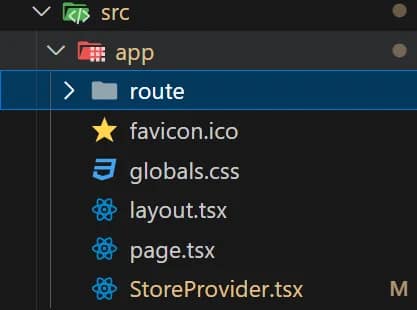
Inside the route make two new files, layout.tsx and page.tsx now wrap everything in the layout.tsx inside the <StoreProvider/> component, as shown in the code below:
import React from "react";
import StoreProvider from "../StoreProvider";

export default function Home({ children }: { children: React.ReactNode }) {
  return (
    <StoreProvider>
      <div className="flex flex-col gap-5 items-center justify-center w-full">
          {children}
      </div>
    </StoreProvider>
  );
}
import React from 'react'

const Route = () => {
  return (
    <p>This is new Route</p>
  )
}

export default Route
If you find some problem in this setup, you can visit my GitHub repository, which is working well, so you can clone my repository without wasting any time.